Are you tired of seeing top-tier PC peripherals that cost as much as a car payment? You are not alone. As more gamers, bloggers, and remote workers look to optimize their desk setups without breaking the bank, budget-friendly brands are stepping into the spotlight. Today, we are taking a deep dive into the TECKNET Gaming Keyboard. Known for its eye-catching RGB lights, metal backplate, and wallet-friendly price tag, it is consistently one of the best-selling budget options online.
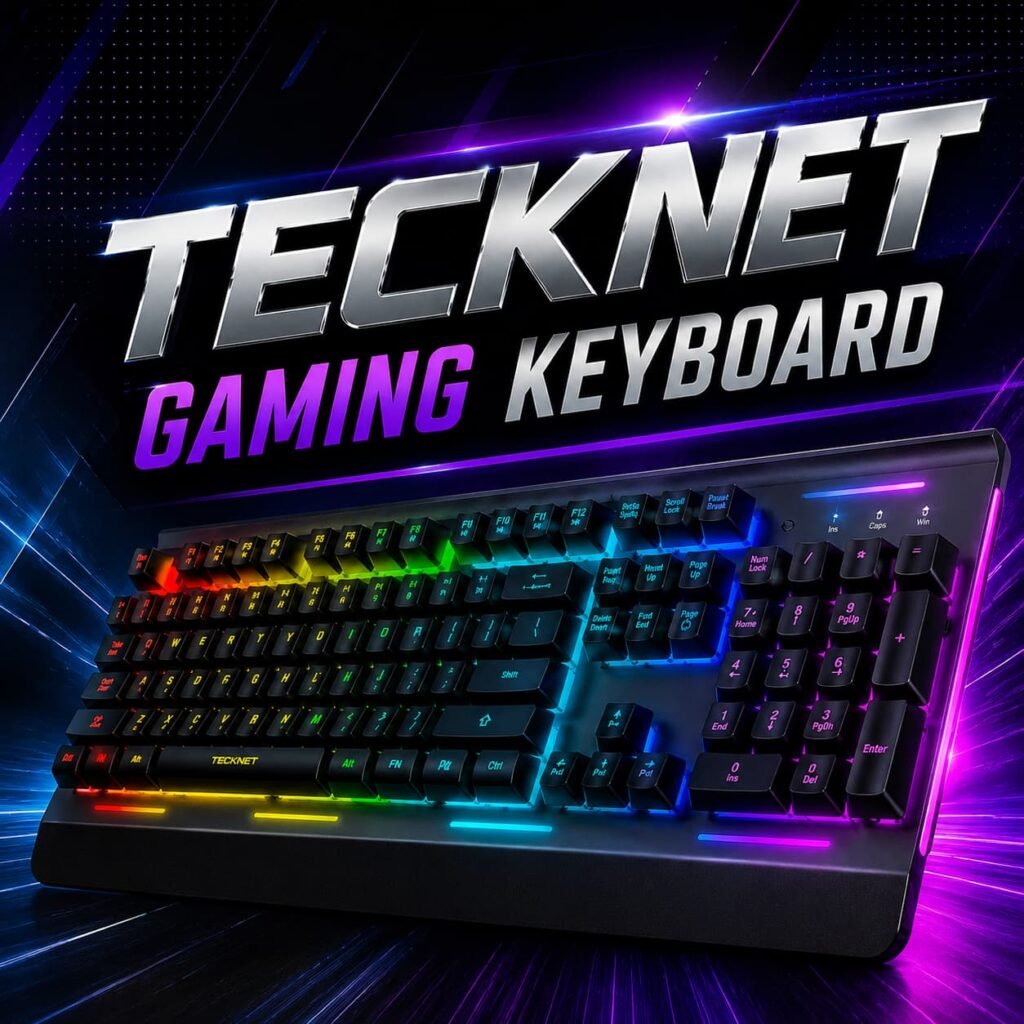
But does the TECKNET Gaming Keyboard actually deliver on its promises? In this comprehensive review and buying guide, we will break down the features, analyze the build quality, and uncover the actual mechanisms under the keys. We even scoured Reddit communities to see what long-term users have to say about its durability. Whether you are a weekend warrior in competitive shooters or just someone who wants a stylish, illuminated desk setup for late-night typing, here is everything you need to know before you buy.
Understanding the Actual Mechanism: Membrane vs. Mechanical
If you spend any time on hardware forums or Reddit’s r/buildapc, you will immediately notice a massive debate regarding switch types. The marketing terminology surrounding budget peripherals can sometimes be confusing, so let’s clear the air regarding this specific model.
While it is heavily advertised as having a “mechanical feeling,” the primary mechanism inside the standard TECKNET Gaming Keyboard is a rubber dome membrane, not an individual mechanical switch.
What Does “Mechanical Feeling” Mean?
A true mechanical keyboard uses physical, individual switches (like Cherry MX or Gateron) under every single key. When you press down, a physical stem makes contact with a metal leaf, registering the keystroke. This provides a distinct tactile bump and an audible click.
A membrane keyboard, on the other hand, relies on a continuous rubber dome sheet laid over a printed circuit board. When you press a key, the rubber dome collapses, pushing a conductive pad onto the circuit to register the press.
The TECKNET Gaming Keyboard bridges the gap by using a modified “volcano” switch structure over its rubber domes. What this means in practical terms is that TECKNET has added a housing structure that mimics the travel distance and the stiffer, more defined press of a mechanical key. Reddit users who have disassembled their units note that while it lacks the precise, sharp click of a true mechanical “Blue” switch, it feels significantly firmer and less “mushy” than a cheap, standard office keyboard.
Reddit Consensus: The mechanism is surprisingly satisfying for the price. Enthusiasts on r/MechanicalKeyboards are quick to point out that it won’t satisfy a mechanical purist, but for the average user, the quiet operation and smooth travel make the TECKNET Gaming Keyboard a highly functional middle ground.
Key Features That Make It Stand Out
For a peripheral in the entry-level price bracket, this keyboard comes packed with features that are usually reserved for much more expensive hardware. Let’s look at the standout specifications.
1. Robust Build Quality and Metal Top Plate
The most surprising aspect of unboxing a TECKNET Gaming Keyboard is its weight and rigidity. Unlike typical plastic budget boards, this model features a genuine metal top plate. This metal construction prevents the chassis from flexing when you type aggressively or bottom out the keys during intense sessions. It stays planted on your desk, offering a premium feel that heavily outweighs its price tag.
2. Vibrant RGB and LED Customization
A major reason shoppers gravitate toward the TECKNET Gaming Keyboard is the illumination. It features up to 15 dynamic RGB lighting modes, including breathing, wave, and static color effects. Unlike premium brands that force you to download bloated background software to change colors, this peripheral handles all its lighting natively.
You can toggle through the various modes, adjust the speed of the lighting effects, and change between multiple brightness levels entirely using the FN shortcut keys. According to user feedback, the LEDs are incredibly bright, with the per-key illumination making it very easy to type and game in a dark room.
3. Anti-Ghosting Technology
In gaming, pressing multiple keys at once is mandatory. “Ghosting” occurs when a computer fails to register simultaneous key presses. The TECKNET Gaming Keyboard features 26-key anti-ghosting technology. This ensures that whether you are executing a complex combo in an RPG or strafing diagonally while jumping in a fast-paced shooter, every single input is registered perfectly.
4. Ergonomics and Comfort
Long hours at the computer can lead to wrist fatigue. This board is built with a scientifically designed stepped key layout and a natural 7-to-8-degree typing angle via its foldable feet. Additionally, the integrated wrist rest provides excellent support. While it is molded hard plastic rather than plush memory foam, it effectively promotes a neutral wrist posture, making the TECKNET Gaming Keyboard a solid choice for full-time copywriters, bloggers, and remote workers.
5. Spill-Resistant Design
We have all accidentally knocked over a cup of coffee or a glass of water on our desks. The TECKNET Gaming Keyboard is rated IP32 spill-resistant. It incorporates strategic drainage holes built directly into the chassis and wrist rest. If a spill occurs, the liquid channels away from the vital electronic components, allowing you to easily wipe it down, dry it out, and get back to work.
What Reddit Users Say: Real Durability and Performance
To give you an honest buying guide, we looked past the marketing materials and dove into Reddit communities like r/pcgaming and r/MouseReview to find out how this model holds up after months of daily use.
The Good
Users consistently praise the value for money. The quiet operation is frequently highlighted; because it utilizes a membrane core, it is drastically quieter than mechanical alternatives. This makes the TECKNET Gaming Keyboard highly recommended for people who share a workspace, live in a dorm room, or stream and don’t want loud “clack-clack” noises bleeding into their microphone audio.
The Bad
The most common critique involves the keycaps. Like almost all budget keyboards, this unit uses ABS plastic for its keys rather than the more expensive, textured PBT plastic. Over time—usually after six to twelve months of heavy typing—the natural oils from your fingers will cause the matte finish on the ABS keys to wear down, resulting in a shiny, slightly slippery surface. Additionally, while the 125Hz polling rate is perfectly fine for 99% of users, hyper-competitive esports players might prefer a more expensive board with a 1000Hz polling rate for the absolute lowest input latency.
Pros and Cons Breakdown
Before making a final decision, it helps to weigh the good against the bad. Here is a quick summary of what to expect from the TECKNET Gaming Keyboard.
Pros:
- Exceptional Value: Offers premium aesthetics at an entry-level price.
- Metal Chassis: The aluminum top plate ensures durability and zero flex.
- No Software Required: Plug-and-play setup with onboard RGB controls.
- Quiet Typing: The membrane switches won’t annoy your roommates or coworkers.
- Spill-Resistant: Drainage holes protect your investment from accidental spills.
- Ergonomic: Built-in wrist rest and adjustable feet prevent fatigue.
Cons:
- Not Truly Mechanical: Lacks the crisp tactile feedback of genuine mechanical switches.
- ABS Keycaps: Keys will develop a shine over time with heavy use.
- Non-Detachable Cable: The braided USB cable is fixed, making travel slightly more cumbersome.
Buy From Amazon
Are you ready to upgrade your desk setup without emptying your wallet? The combination of sleek metal design, quiet operation, and vibrant lighting makes this an absolute steal for any setup.
[Click Here to Buy the TECKNET Gaming Keyboard on Amazon]
Final Verdict: Should You Buy It?
If you have a budget of over $150 and demand the peak tactile precision of customized mechanical switches, this board isn’t for you. However, if you are a casual gamer, a student, a blogger, or someone building their very first PC setup, the TECKNET Gaming Keyboard is incredibly hard to beat.
It strikes a fantastic balance. By utilizing a high-quality “mecha-membrane” system, the TECKNET Gaming Keyboard gives you a responsive, comfortable typing experience that is noticeably superior to standard office keyboards, while remaining whisper-quiet. Factor in the robust metal top plate, the brilliant hardware-controlled RGB, and the spill-resistant design, and you have a peripheral that punches well above its weight class.
👉Check Out Another ASUS Laptop
Thanks For Reading🖤